How to move your savings circle from a spreadsheet to an app (without changing how it works)
Every organiser has a version of the same file. Names down the left, months across the top, a column for who's had their turn. Some are colour-coded works of art with formulas that would impress an accountant. Some are three tabs of chaos held together by memory. Either way, it does the job — right up until the moment it doesn't.
The spreadsheet doesn't fail loudly. It fails on a Sunday evening, when a member messages to ask whether their payment landed and you have to open your laptop to find out. It fails when two people remember the same transfer differently and only your file can settle it — which means only you can settle it. It fails when you're away for a fortnight and the circle quietly pauses because the record travelled with you.
If you run a paluwagan, an ajo or esusu, a chama, a pardner hand, a dhukuti or any other rotating circle, this is a guide to moving that record onto a phone — without touching a single thing about how your circle actually works.
First, the rule that makes this painless
Move the record. Don't change the circle.
Almost every migration that goes badly goes badly for the same reason: the organiser treats the move as an opportunity to fix three other things at once. New contribution amount, new payment day, new rule about latecomers, new turn order — all landing on the group in the same message. Now the group isn't reacting to a tidier record, it's reacting to four changes it didn't ask for, and someone will push back on all of them at once.
Keep everything identical for the first full round. Same amount, same rhythm, same order, same rules. The only thing that changes is where the record lives. If you want to revisit the rules, do it at the start of the next cycle, when the group already trusts the new record.
Step 1 — Take stock of what your spreadsheet actually holds
Before you move anything, write down what your file is really doing. Most contain more than the organiser realises:
- The member list, and the way to reach each person
- The contribution amount and the rhythm (weekly, fortnightly, monthly, payday)
- The turn order — and how it was decided (drawn, agreed, by need, by bidding)
- The payment history, round by round
- The exceptions: who paid two rounds ahead, who swapped turns with whom, who's short and by how much
- The unwritten rules that live only in your head
That last line is the important one. The exceptions and the unwritten rules are the part no spreadsheet template ever captures, and they're the reason organisers feel irreplaceable. Getting them written down is worth doing even if you never move at all.
Step 2 — Reconcile before you move, not after
Close off the current round cleanly first. Every contribution logged, every payout marked, every outstanding amount named. Migrating an inconsistency doesn't fix it — it just moves the argument somewhere newer.
If you find a discrepancy, resolve it on the old record while the old record is still the one everyone accepts. This is the single most-skipped step, and the one that causes the most grief afterwards.
Step 3 — Pick your switchover point
The clean line is the start of a round, not the middle of one. Finish the current round on the spreadsheet, then begin the next one on the app. Nobody has to hold two records in their head, and if anything looks odd you have an unambiguous "before" to check against.
Step 4 — Bring the history with you
You don't need to re-enter three years of payments. But you do need enough history that the group can see the state of play: who has already taken their turn this cycle, and who is still waiting. That's the number that matters to members, and it's the question you're answering all week anyway.
Enter the completed turns and any standing exceptions. Leave the deep archive in the spreadsheet — keep the file, don't delete it, just stop updating it.
Step 5 — Tell the group before you show them
One short message, before anyone gets an invitation out of the blue:
We're keeping everything exactly as it is — same amount, same dates, same order. The only change is that instead of me keeping the list, everyone can see it. You'll be able to check whether your payment's gone through without messaging me.
Lead with what's in it for them, not with the software. Members don't care about your admin. They care about being able to see their own money without asking permission.
Step 6 — Run one round in parallel, then let go
For the first round only, keep the spreadsheet updated alongside. It costs you one round of double-entry and it buys the whole group confidence. When the two records agree at the end of the round, close the file for good.
Where Roscas comes in
Roscas is a free app built for this exact move. It's the shared record your spreadsheet was trying to be — visible to everyone, on everyone's phone, kept up to date without one person carrying it.
You set your circle up the way it already runs: your members, your amount, your rhythm, the turn order your group agreed at the start. From then on, every member sees the same live picture — who has contributed this round, whose turn is next, when the next collection falls due. Reminders go out automatically, so chasing stops being your job.
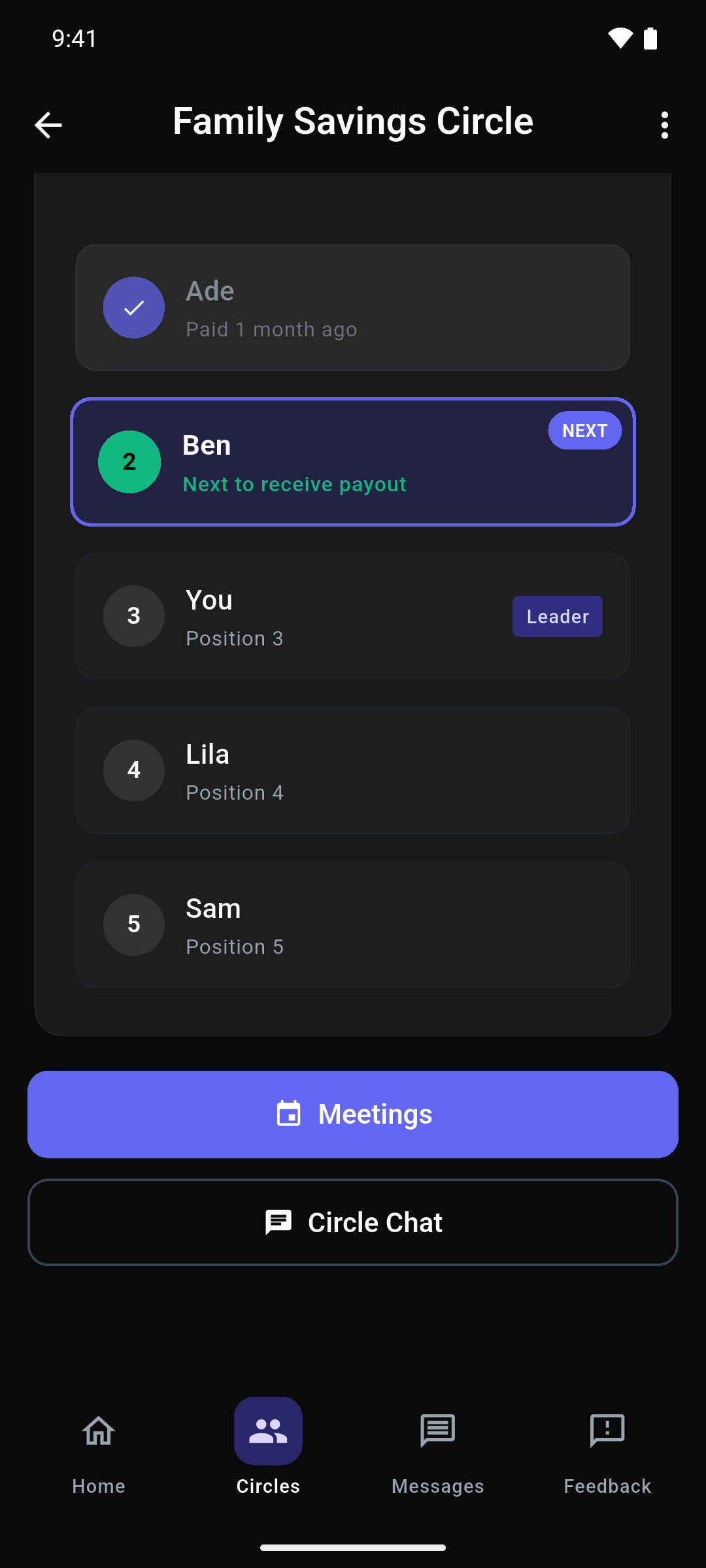
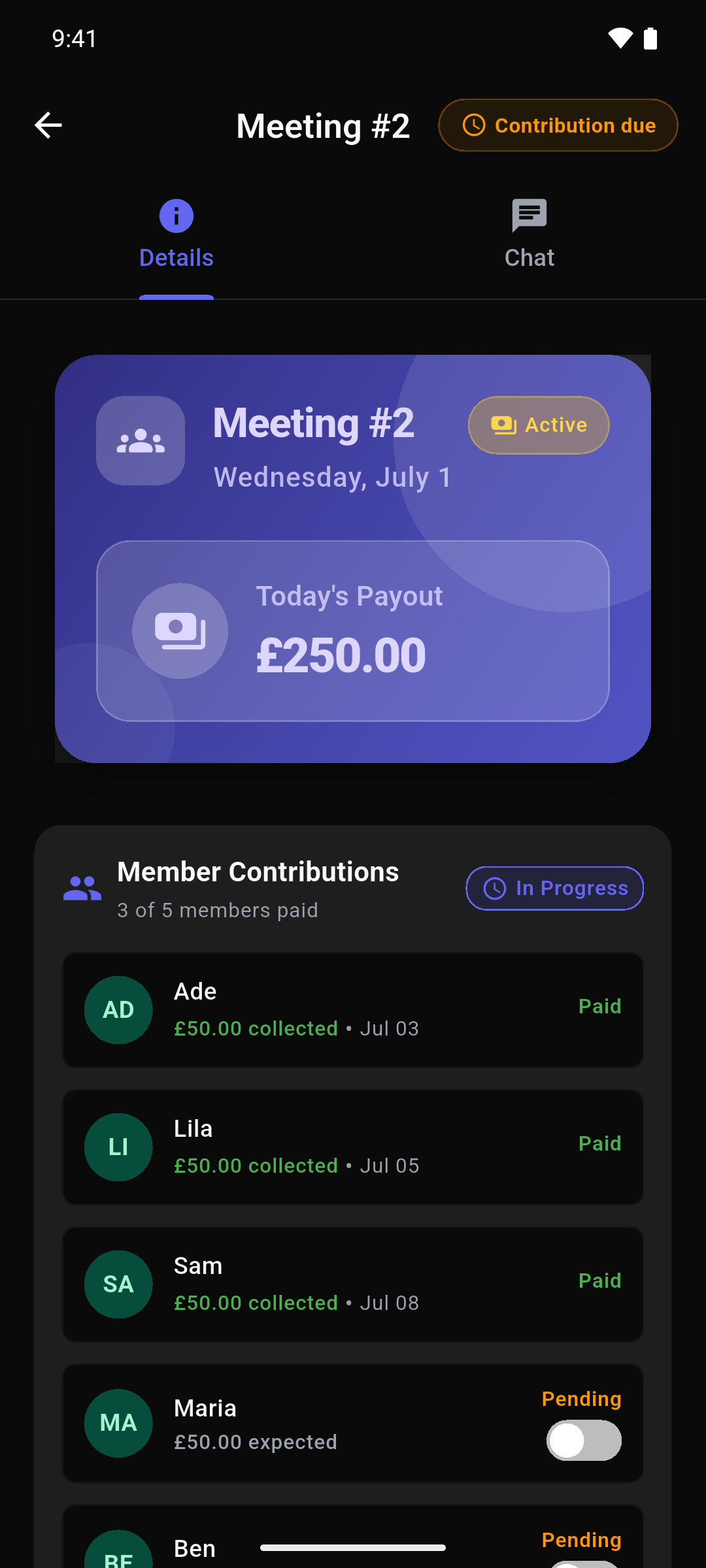
Two things worth knowing before you move. First, Roscas never touches the money. Contributions move exactly the way they move today — bank transfer, standing order, cash in hand — and the app never takes a penny from the pot. It's the record, not a middleman, so there's nothing to migrate except information. Second, it's free. Completely and permanently: no fees, no cut, no paid tier waiting a few rounds down the line.
Roscas is currently in beta on Android, and we're inviting organisers to bring the circle they already run. You don't need to start something new, recruit anyone, or talk your group into new rules.
Keep your circle. Lose the spreadsheet. Get started at roscas.io/your-circle